
Tokens and cost
Tokens are the unit of account. Running a job spends them; an administrator or a purchase adds them.
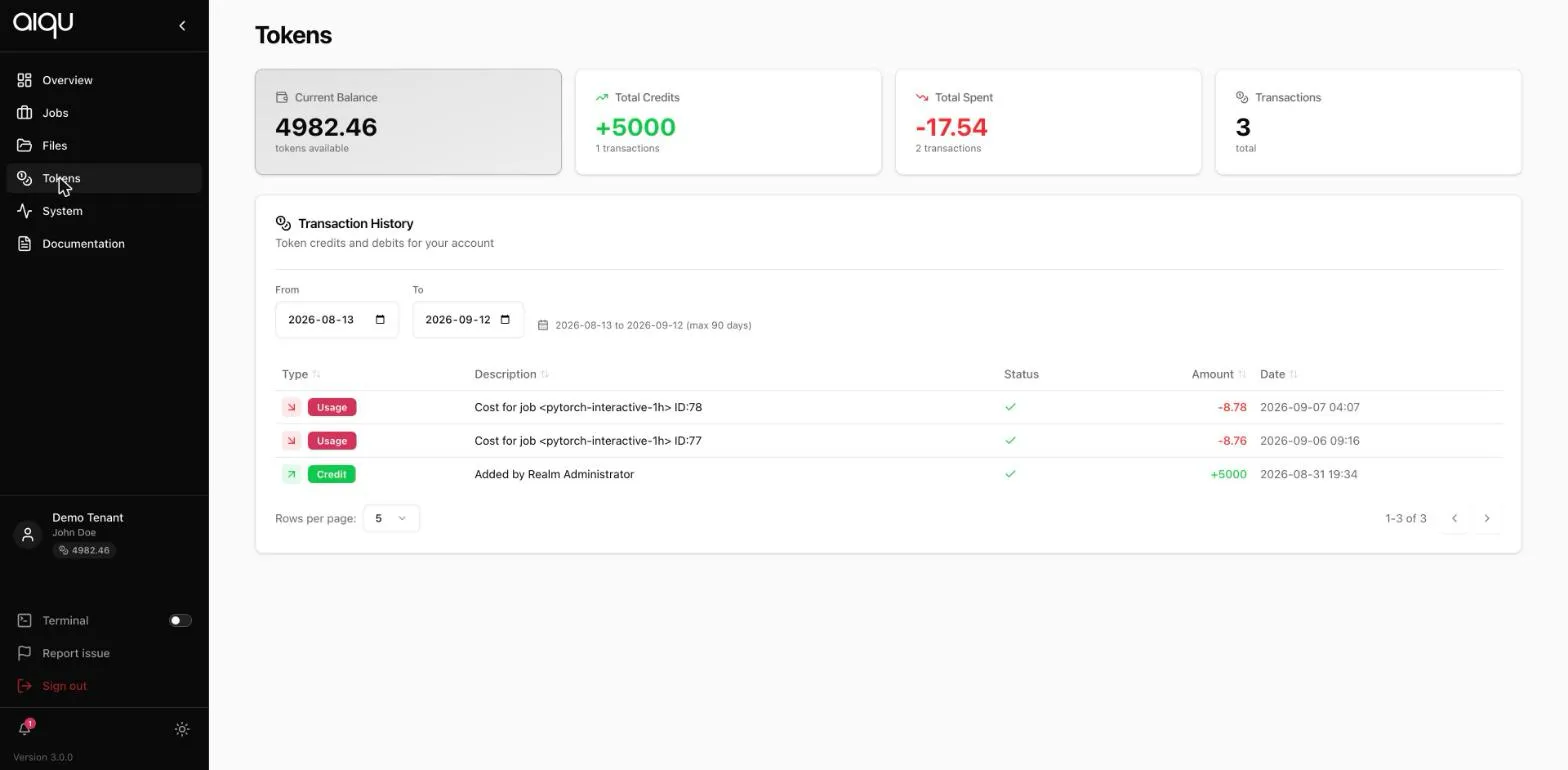
The four cards
Section titled “The four cards”Current balance is what you can spend now. The submission form compares its estimate against this before you commit.
Total credits, Total spent and Transactions summarise the selected date range, not all time.
What spends tokens
Section titled “What spends tokens”| Charge | When |
|---|---|
| Job start cost | A small fixed amount each time a job starts |
| Runtime | Per minute, scaled by GPU, CPU and memory held, and by the queue’s cost settings |
| Storage | Per terabyte-hour, continuously, regardless of any job |
The important word is held. A job that reserves a GPU and leaves it idle costs exactly as much as one that saturates it. The Metrics view is how you find out which you have.
Transaction history
Section titled “Transaction history”Every credit and debit in the selected range, with a date filter capped at 90 days.
| Type | Meaning |
|---|---|
| Usage | A charge, with the job it belongs to: Cost for job <name> ID:78 |
| Credit | Tokens added, for example Added by Tenant Administrator |
Because each usage row names the job id, this page is where you answer “what did that experiment actually cost”.
Projects
Section titled “Projects”If a job is charged to a project, the project’s balance pays and the charge appears against the project rather than you. The submission summary shows the project’s balance instead of yours as soon as one is selected.
Some tenants require every job to name a project. That is a tenant setting, not something you can change.
Running out
Section titled “Running out”There is no overdraft. If your balance will not cover the estimate, the job is not submitted.
Topping up is one of:
- Ask your tenant administrator to add tokens. Normal in most tenants.
- Buy them, if your tenant allows it - a control next to the balance in the submission form opens the purchase dialog.
- Use a project whose budget still has room.