
Global queues
Every queue on the installation, whichever tenant owns it.
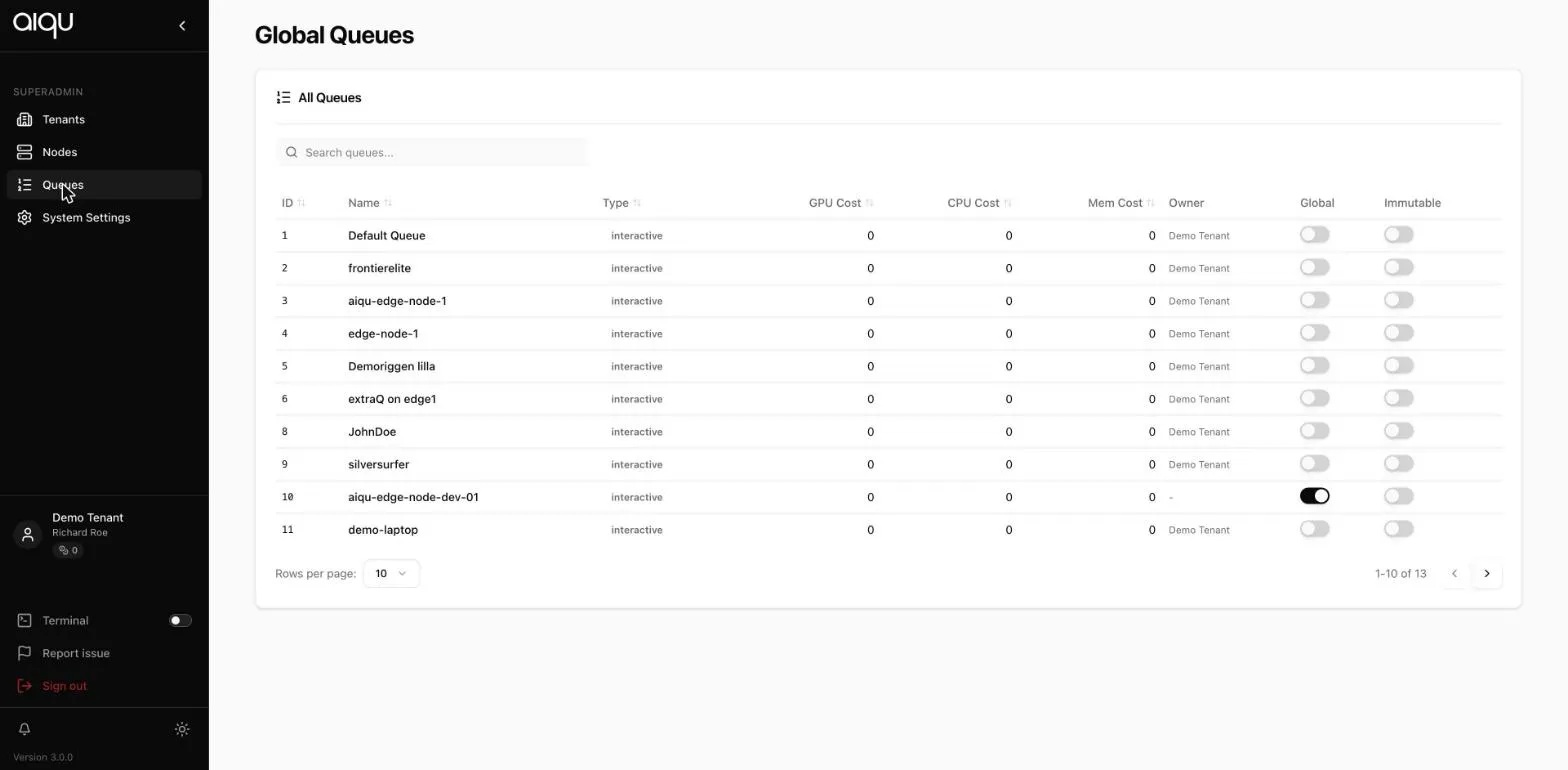
| Column | Meaning |
|---|---|
| Type | interactive, non-interactive or hybrid |
| GPU / CPU / Mem cost | Cost factors applied to jobs on this queue |
| Owner | The tenant that owns it, or none for a platform queue |
| Global | Shared across tenants |
| Immutable | Tenant admins cannot change it |
Cost factors
Section titled “Cost factors”These multiply into what a job on the queue charges, on top of the platform base rates from System settings and the tenant’s own multiplier.
The chain is: platform base rate × queue cost factor × tenant multiplier, with the tenant’s minimum cost as a floor. That is how a queue of current GPUs can be priced above a queue of older ones inside the same installation.
Making one global
Section titled “Making one global”As with nodes, promoting a queue to global asks whether to connect every active tenant or merely to flag it. Flagging without connecting is the conservative choice.
A tenant admin can enable or disable a global queue for their tenant, but cannot edit or delete it.
Adding a queue here
Section titled “Adding a queue here”A queue created from this page is platform-wide rather than belonging to a tenant. Give it nodes and storage as you would any queue - a global queue with no storage links produces exactly the same silent mount failure in every tenant that uses it.