
Files and storage
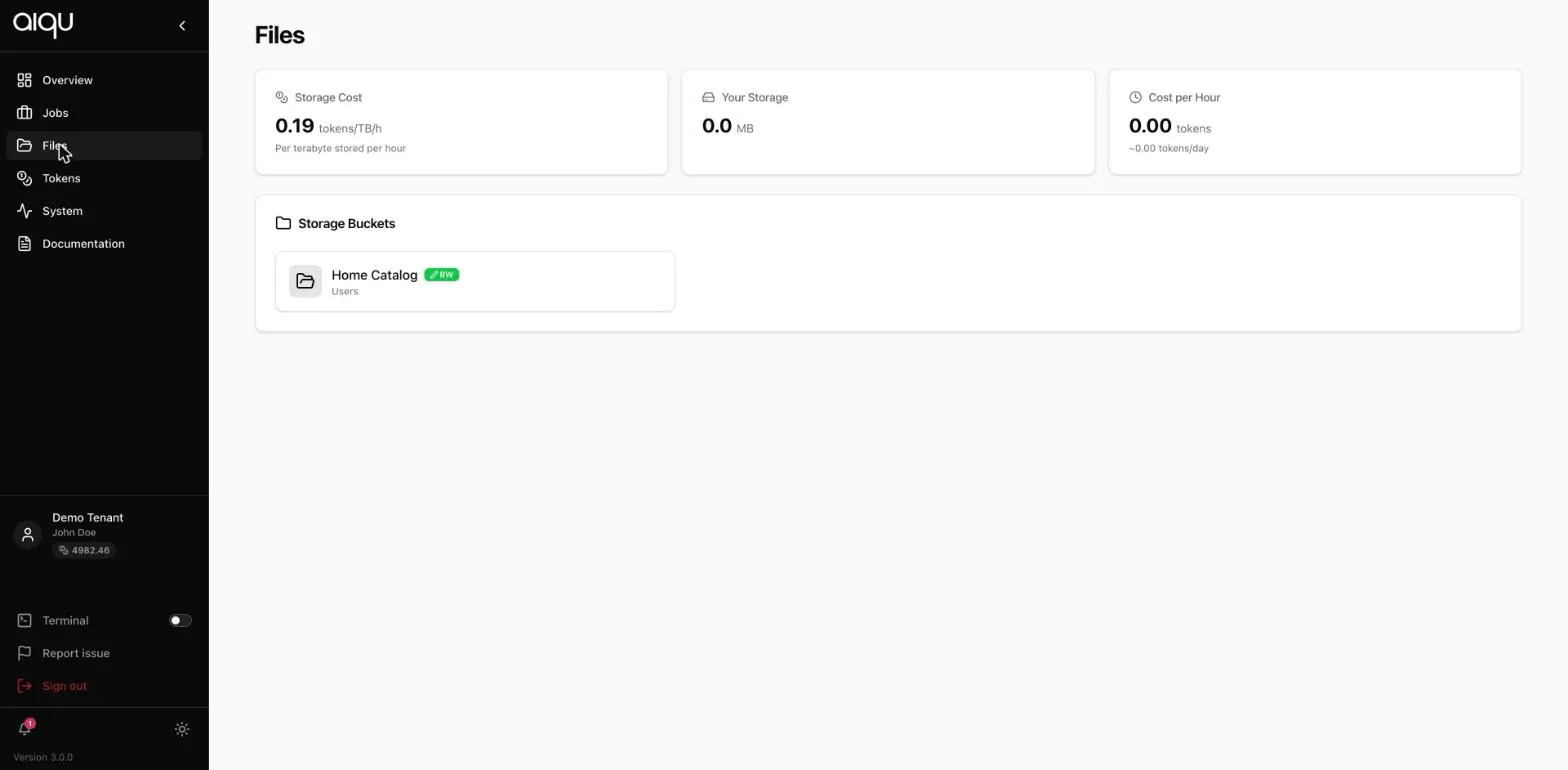
The Files page
Section titled “The Files page”Storage cost, Your storage and Cost per hour at the top: the rate per terabyte-hour, what you are using, and what that is costing. Storage is billed continuously, not per job.
Below them, your storage buckets, each with an access badge:
| Badge | Means |
|---|---|
| RW | Read and write |
| RO | Read only - mountable, but your job cannot write to it |
Select a bucket to browse it, upload into it, and download from it.
Mounting a bucket into a job
Section titled “Mounting a bucket into a job”- In the submission form, Folders to mount → + ADD.
- Pick the collection and the bucket.
- MOUNT.
- Adjust the container path if you want it somewhere other than the default.
Your job then reads and writes that path like any other directory, and what is there afterwards is still there.
You can add several mounts, with two limits. A job is refused, on submit or when you save an edit, if:
- the same folder of a bucket is mounted at two container paths, or
- two mounts share one container path.
/data,/data/and//datacount as the same path.
Nested paths are fine: /data and /data/models can be two mounts. The
message names the folder or path that clashes, so remove one of the two
mounts and submit again.
Why the job form shows fewer buckets
Section titled “Why the job form shows fewer buckets”This is the one genuinely confusing thing about storage, so it is worth stating plainly:
- The Files page lists every bucket you have access to.
- The job form lists every bucket the selected queue can reach.
A bucket lives on a storage, a storage is attached to particular queues, and a job can only mount storage its node can actually see. So a perfectly visible bucket can be unmountable on one queue and fine on another.
When the form says “No storage is attached to the … queue, so there is nothing to mount here”, your options are to pick a different queue, or to ask an administrator to attach that storage to the queue. See Storage administration.
Working with data
Section titled “Working with data”Getting data in. Upload through the Files page for small things. For large datasets, mount the bucket into a job and pull from inside the container - the node’s connection is usually much better than yours.
Getting results out. Write them to the mounted path, then download from the Files page after the job ends.
A practical layout. Keep datasets in a read-only bucket shared across the team, and write outputs to your own read-write one. Then a mistake in a job cannot destroy the dataset.
# inside the containerpython train.py \ --data /datasets/imagenet \ --output /homecatalog/runs/$(date +%F-%H%M)Storage is charged per terabyte-hour, continuously, whether or not a job is running. A bucket you filled and forgot keeps costing. The Files page shows the current rate and your running total; the Tokens page shows what has actually been charged.