
Users and groups
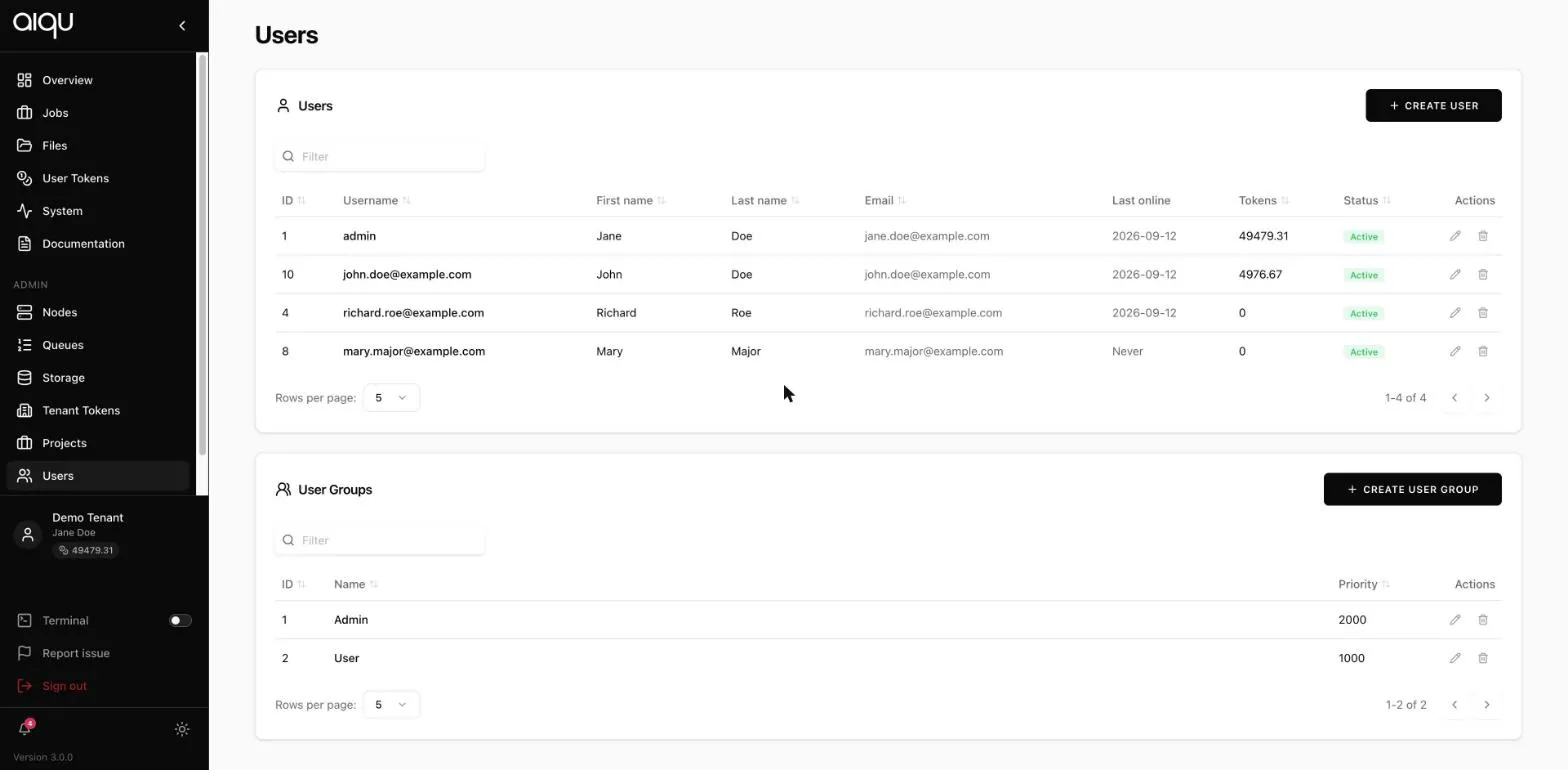
The table lists every account in the tenant with its id, username, name, email, last-seen date, token balance and status.
Creating one
Section titled “Creating one”CREATE USER takes an email address and a name. The account is created and the person is invited to set their own password.
- CREATE USER, fill in the address and name.
- Open the new user and add them to a group. Until you do, they have no queues and no permission to add jobs.
- Give them tokens, or add them to a project that has some.
Skipping steps 2 and 3 produces the most common support question in a new tenant: “I can sign in but the queue selector is empty.”
Editing one
Section titled “Editing one”Opening a user lets you adjust their token balance, their activation (deactivating blocks sign-in without deleting anything) and their group membership.
User groups
Section titled “User groups”The second table. A group carries a priority, which decides whose jobs win when several are waiting for the same capacity - higher goes first.
Limits
Section titled “Limits”| Setting | Effect |
|---|---|
| Max GPUs per job | Ceiling on a single job’s request |
| Max total GPUs | Ceiling across all of the member’s running jobs |
Both must be non-negative integers; an empty or invalid value is refused rather than saved.
These bound what the submission form even offers. A user cannot select past them.
Permissions
Section titled “Permissions”Toggles on the group:
| Permission | Grants |
|---|---|
| Add jobs | Submitting at all. Off by default on a new group |
| Private ports | Opening a port on the private network |
| Public ports | Opening a port to the internet |
| Add registries | Adding their own Docker registries |
| Require project | Forces every job to name a project. Removes the “no project” option. Applies on a queue only if every group granting it has this on - see Requiring a project |
| Disable login | Blocks sign-in for the whole group |
Queues and storage
Section titled “Queues and storage”A group grants access to specific queues and storage buckets. This is how a user comes to see a queue at all.
Granting the group a queue is not the same as that queue being able to mount storage - the queue has its own storage links, set on the Queues page. Both have to be right before a user can mount anything.
Where the tenant has LDAP configured, groups can be imported from the directory rather than maintained by hand.