
Quick Deploy
Quick Deploy sits at the top of the Jobs page: a row of prepared templates - PyTorch, TensorFlow, a chat UI - already configured with an image and the ports they need.
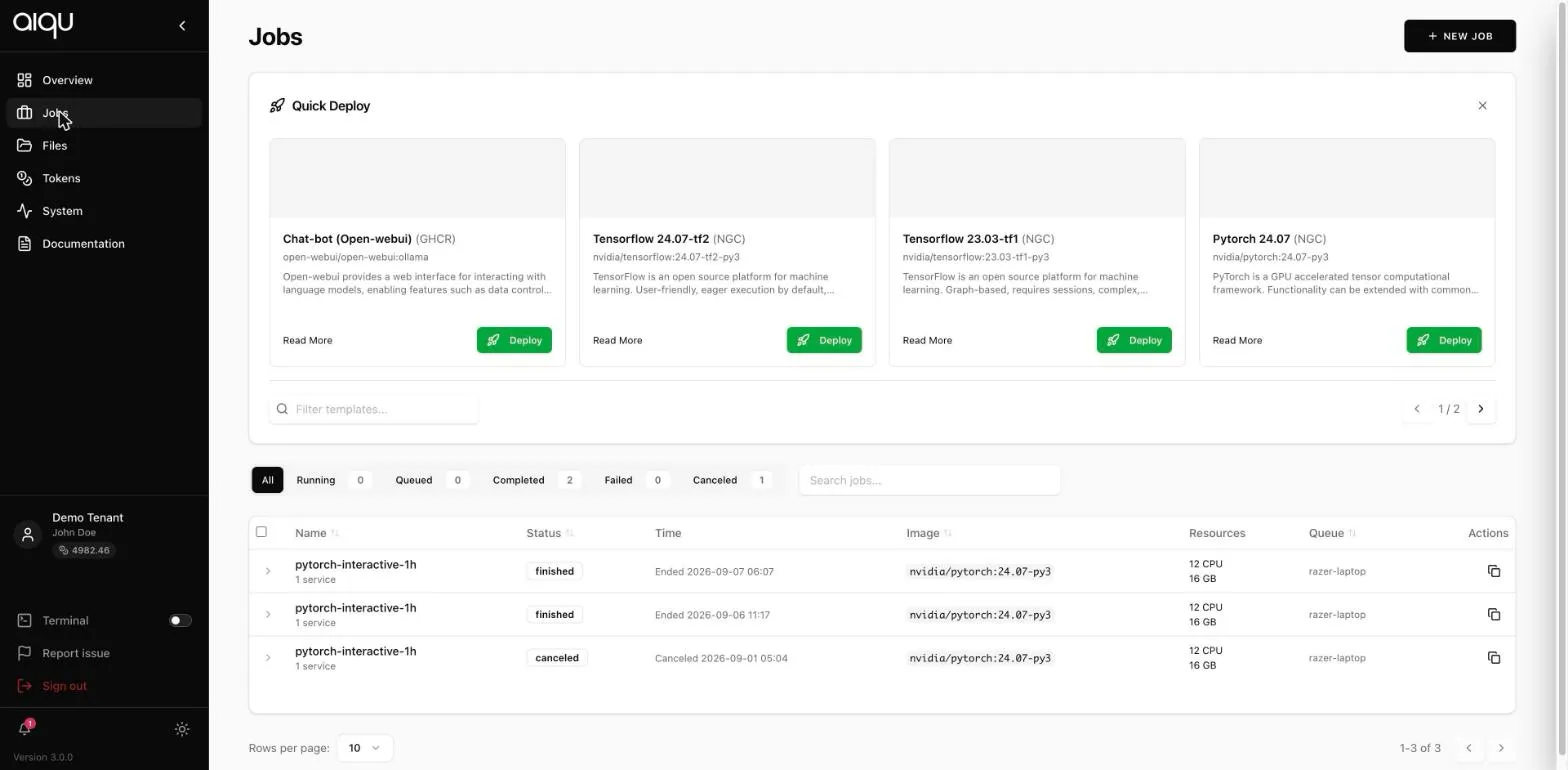
If you are new, start here. You give it a runtime and nothing else.
Running one
Section titled “Running one”- Find the template. Filter templates… narrows the list; the cards page with the arrows on the right.
- Read More shows the full description and the ports it declares.
- Deploy asks for a runtime and shows the estimated cost.
- Run it.
The minimum runtime is five minutes; below that the run action stays disabled.
Editing one first
Section titled “Editing one first”Edit on a template loads it into the normal submission form instead of running it. You get the template’s image and ports as a starting point and can then mount folders, change the queue, or set environment variables.
This is the useful middle path: the template knows which image and ports go together, and you supply the parts that are specific to you.
Where templates come from
Section titled “Where templates come from”Templates are configured for the tenant, not per user. If one you want is missing, that is a request to your tenant administrator.
Dismissing the Quick Deploy panel with the × only hides it for the session.