
Global nodes
Superadmin
The superadmin Nodes page lists every node on the installation, across all tenants.
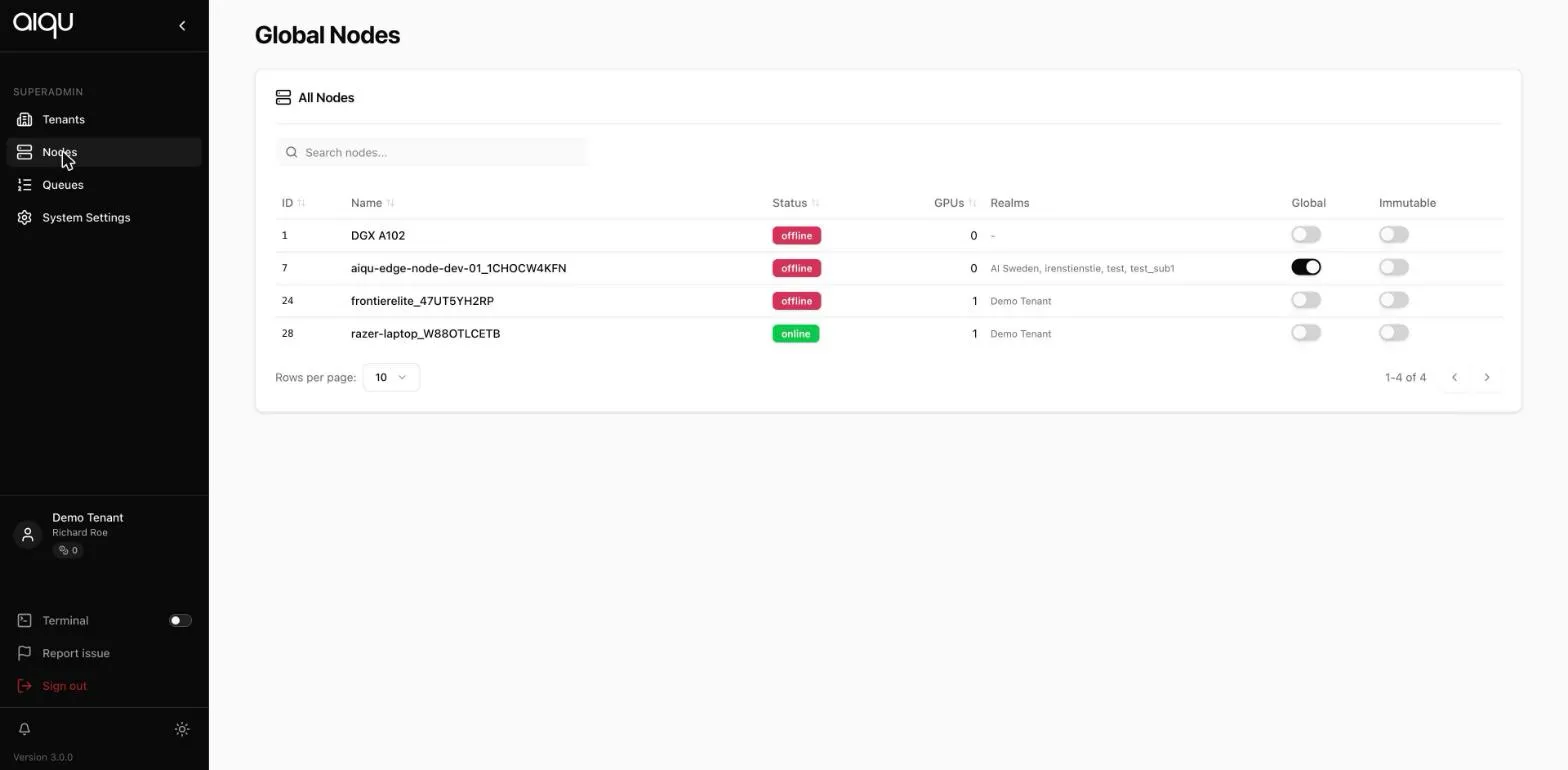
| Column | Meaning |
|---|---|
| Status | Online or offline |
| GPUs | What the node contributes |
| Tenants | Which tenants can use it. A global node lists several |
| Global | Whether it is shared across tenants |
| Immutable | Whether tenant admins are prevented from changing it |
Promoting a node to global
Section titled “Promoting a node to global”Turning on Global asks a second question, and the two answers do different things:
- Connect all tenants - every active tenant immediately gains access.
- Only mark it global - it is flagged, but no tenant gains access.
Cancelling changes nothing.
Immutable
Section titled “Immutable”Marks a node as not editable by the tenant administrators who can see it. Use it for machines whose configuration must not drift - shared infrastructure that several tenants depend on.
A node’s tenants
Section titled “A node’s tenants”A tenant node lists one tenant. A global node connected to several lists them all, which is the quickest way to see the blast radius before you change anything about it.